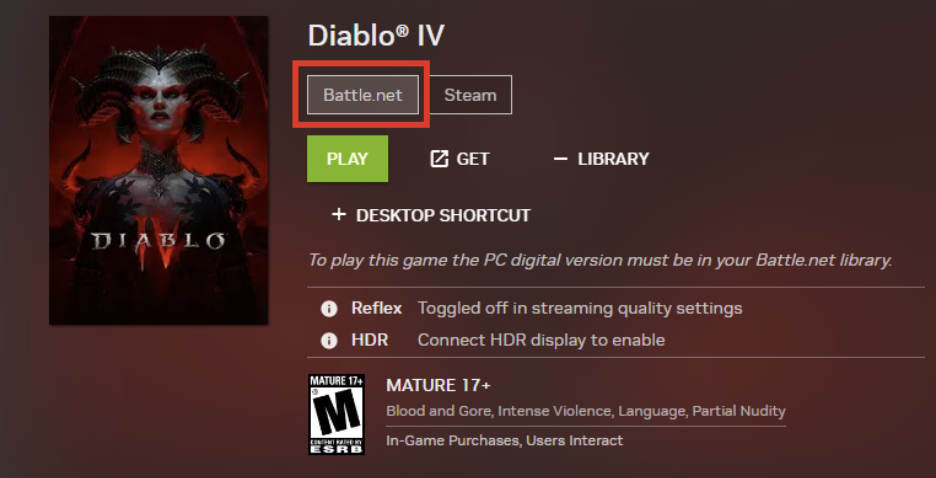
Select Battle.net games like Diablo IV are included with a PC Game Pass membership. To access these games, you will need to be a Game Pass Ultimate or PC Game Pass subscriber. Then you will need to link your Battle.net and Xbox accounts before playing on GeForce NOW.
Note: this step must be completed outside the GeForce NOW app.
Visit https://account.battle.net/connections to complete the linking process.
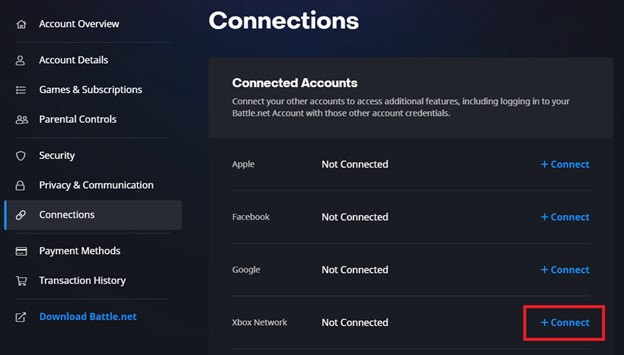
Once the steps above are complete, you will be able to play these games by launching the “Battle.net” versions on GeForce NOW, as long as your Game Pass subscription remains active.
We also recommend going to the GeForce NOW app > Settings > Connections > Battle.net to connect your Battle.net account to automatically add supported games like Diablo IV to your GeForce NOW “My Library”.